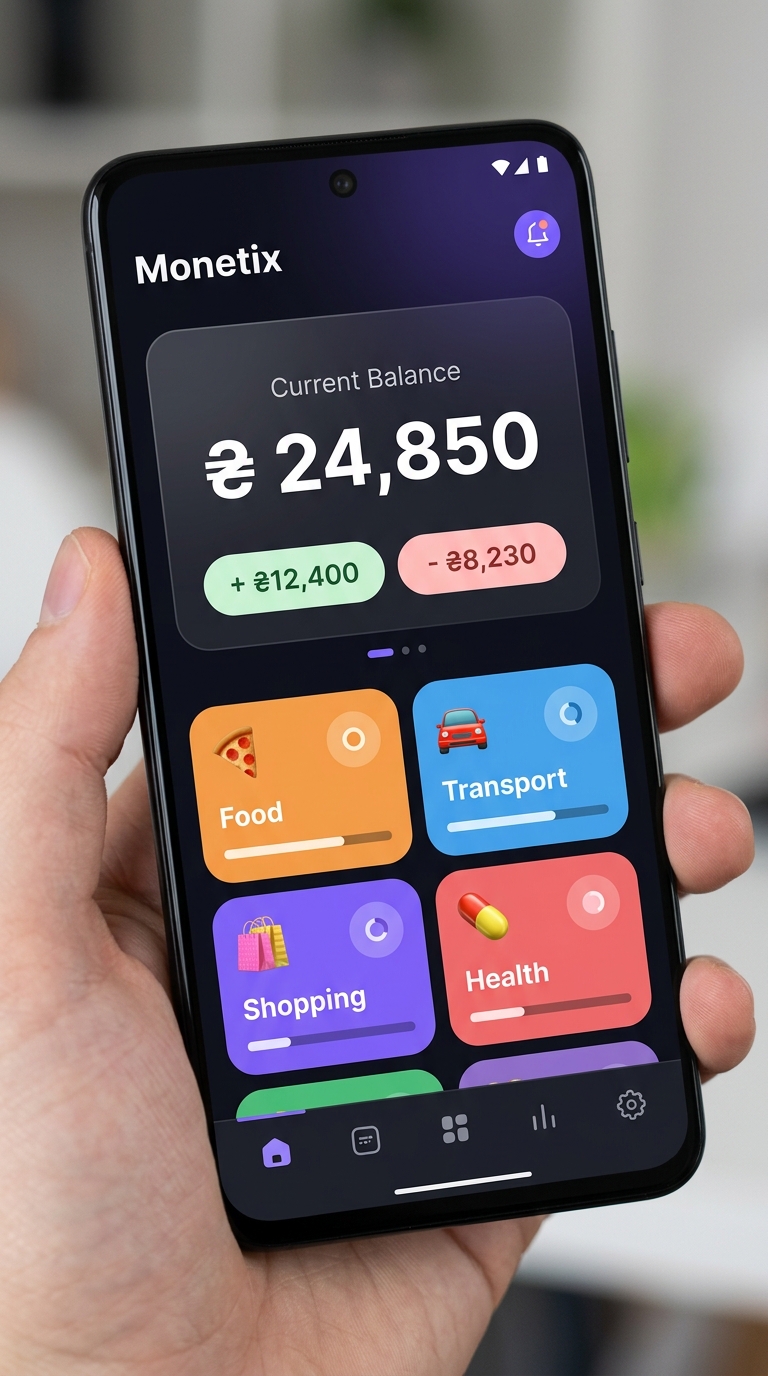
Monetix is the personal finance tracker that doesn't get in your way. Add expenses in seconds, plan budgets, track goals and see exactly where your money goes — beautifully.
Four powerful pillars built for real people with real finances.
Add any expense or income in under 3 taps. Calculator keyboard, categories, notes and repeat schedules — all in one smooth bottom sheet.
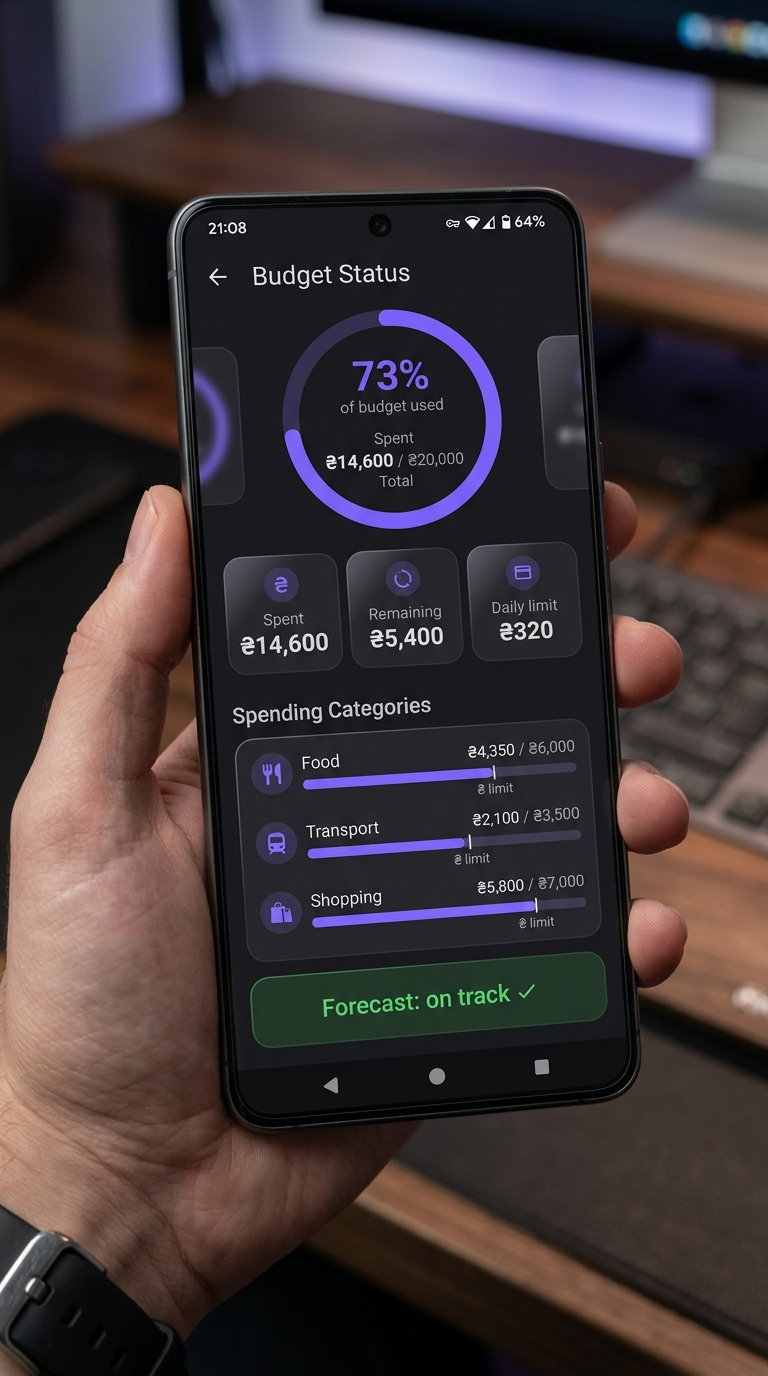
Set monthly or weekly budgets. Get daily allowance recommendations and real-time forecasts — never overspend again.
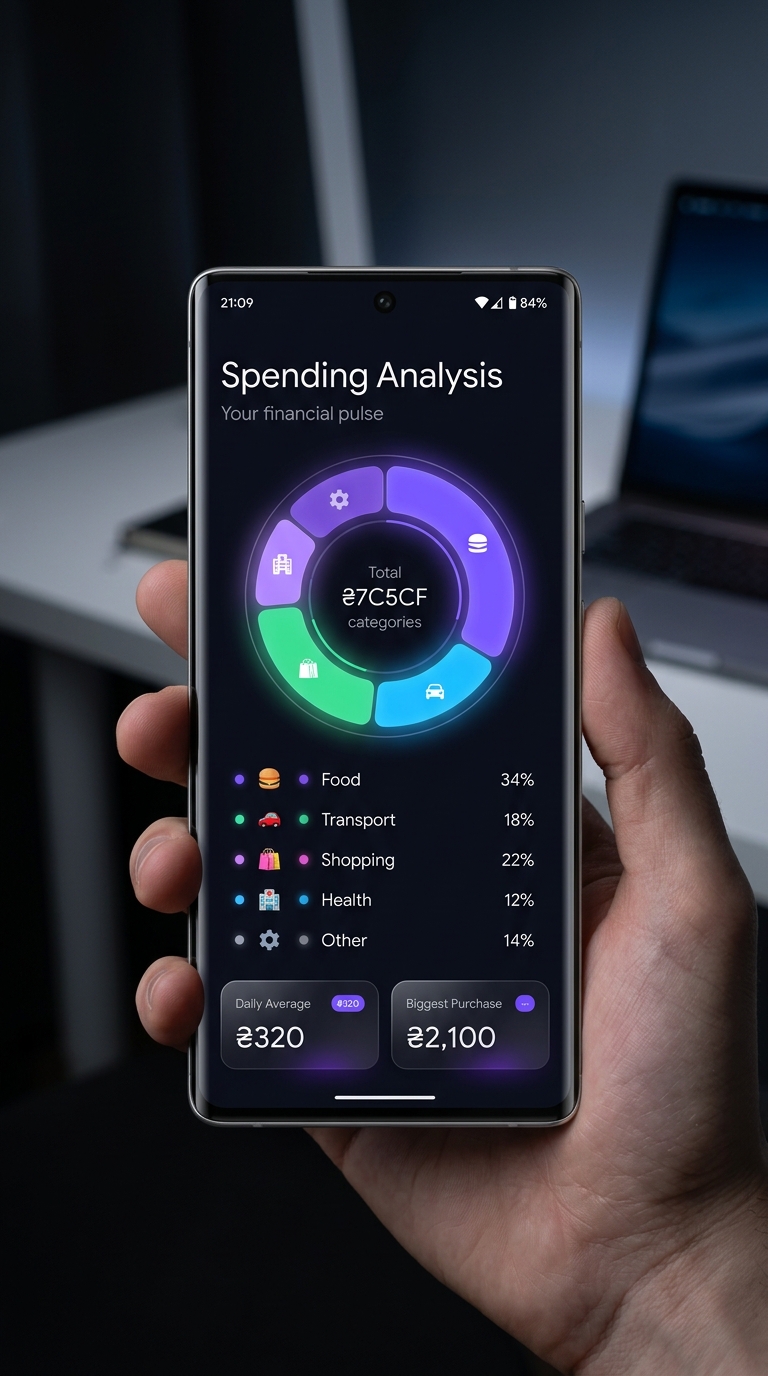
See your financial pulse at a glance. Donut charts, trend graphs, daily averages and no-spend day streaks keep you motivated.
Manage all your money in one place. Bank cards, cash, loans, debts and savings goals with real-time net worth calculation.
Stop guessing. Monetix turns your transaction history into clear, beautiful charts and actionable insights — updated in real time.
Set your monthly or weekly spending limit and let Monetix do the math. Get personalized daily allowances and instant overspend warnings.
Each account in its own currency. Real-time exchange rates via API. Your total always shown in your base currency.
Add expenses straight from your Android home screen — no need to even open the app. Pill (3×1) and Quick Action (1×1) styles.
PIN code protection with auto-lock, screenshot protection and privacy mode that hides your balance from prying eyes.
Generate beautiful PDF reports or export raw data to Excel and CSV for deeper analysis. Choose colorful or monochrome style.
Track subscriptions and scheduled payments. Get reminders before each charge and never miss a payment again.
Automatic daily backups to local storage. Move to a new phone — restore your full history instantly with smart merge.
Yes! Go to Control Center → Security to set a 4-digit PIN. You can also configure auto-lock timing to protect your data when you step away.
Set your base currency in Settings. Each account can have its own currency — conversion to the base currency happens automatically using up-to-date mid-market exchange rates from the Currency Rates section.
Yes. Create a backup file on your old device (Data Management → Create Backup), transfer it to the new device and restore it. You can choose to replace existing data or use smart merge to combine both.
PRO removes all limits and gives full access: unlimited accounts, categories and goals, subcategories for detailed tracking, PIN code protection, automatic daily backups, smart data merging, and detailed PDF/Excel/CSV reports.
Archiving hides a category from lists but preserves all its transaction history. Deleting removes the category and all linked transactions permanently. We strongly recommend archiving over deleting!
Enable daily reminders in Control Center → Reminders. Choose a convenient time, and the app will send you a notification to record your expenses. Payment reminders for subscriptions work automatically.
All data will be permanently deleted along with the app. We strongly recommend creating a backup before uninstalling — you can do this in Data Management → Create Backup.
Free to download. No account required. Your data stays on your device.
Download on Google Play